Documents
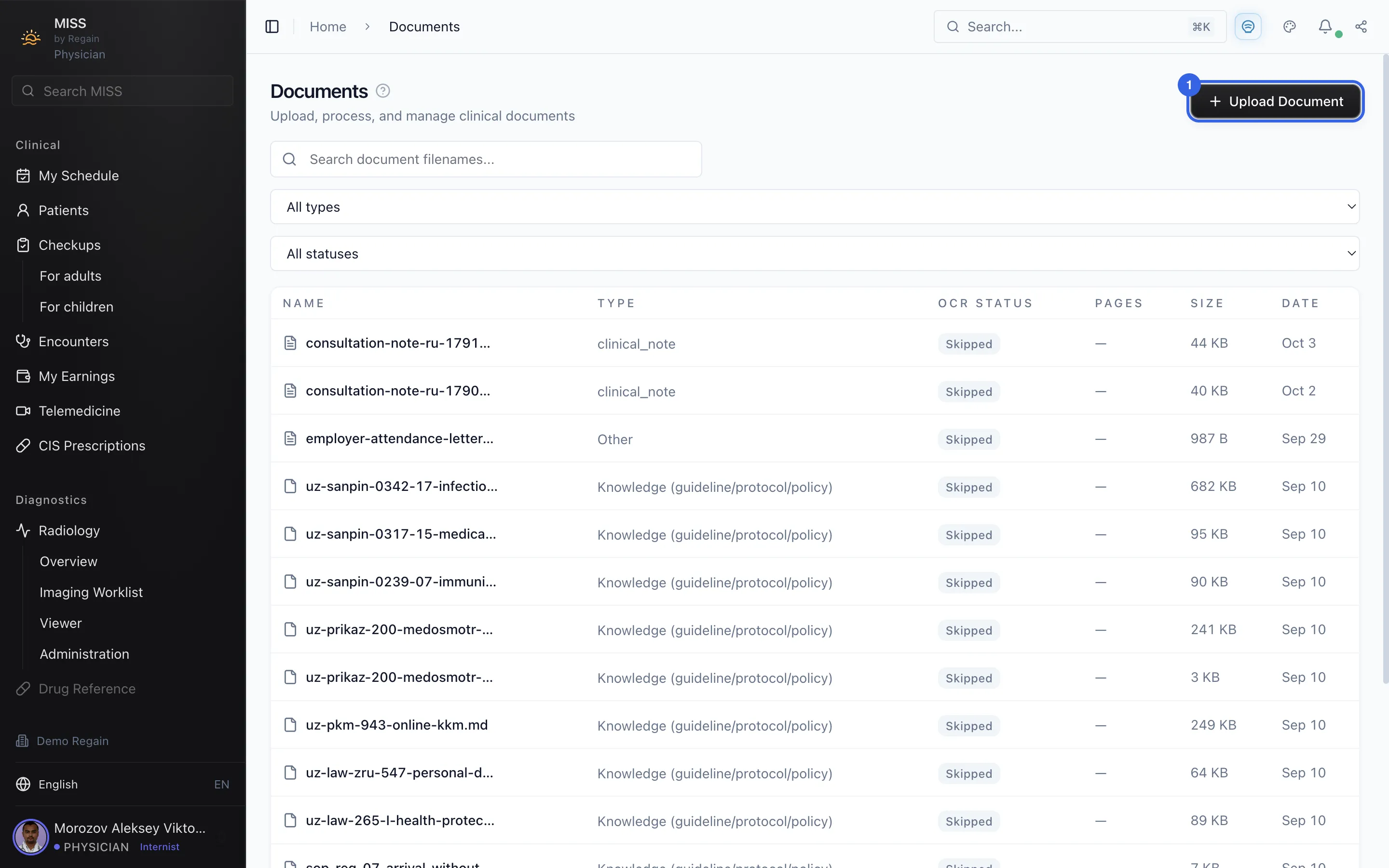
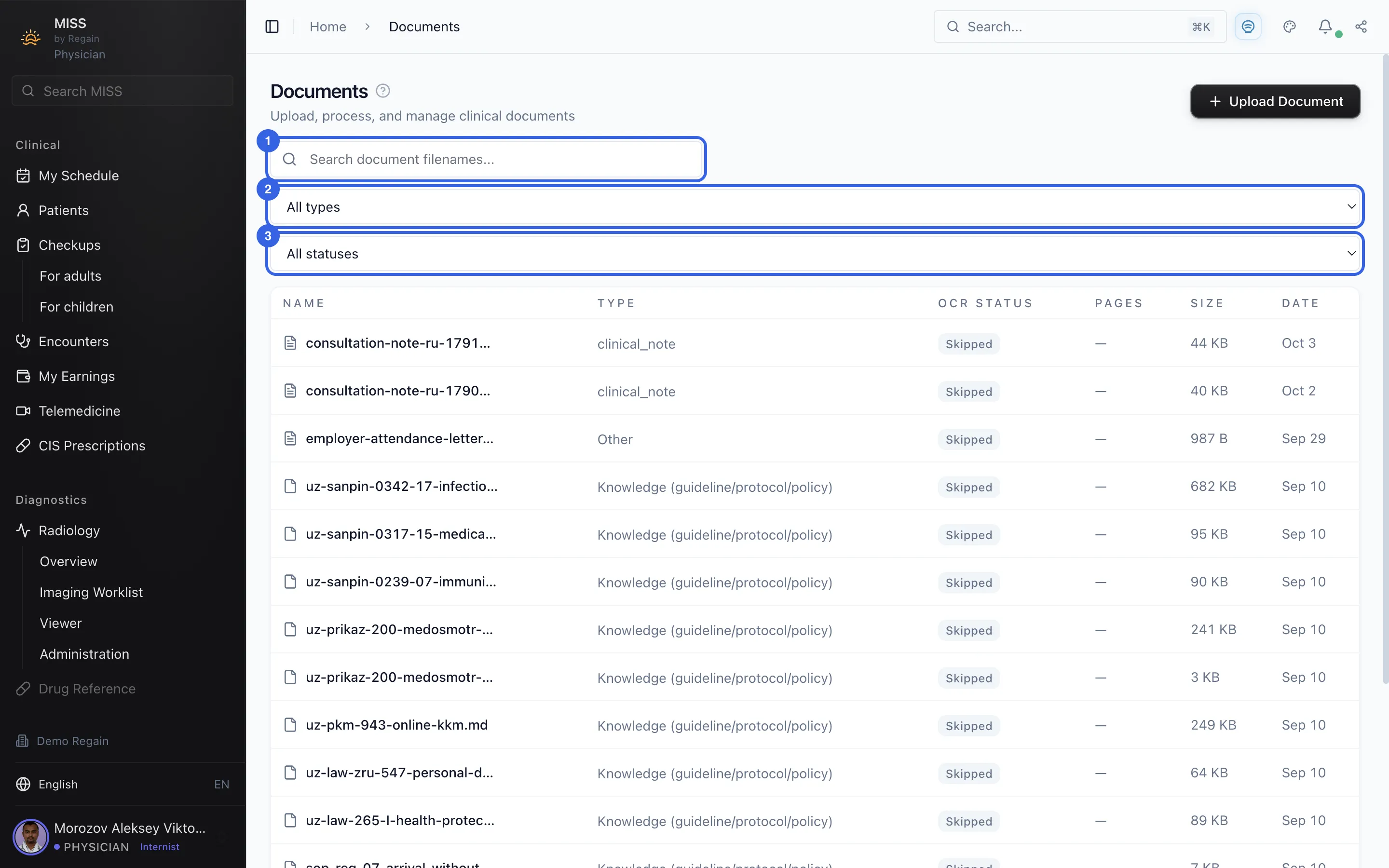
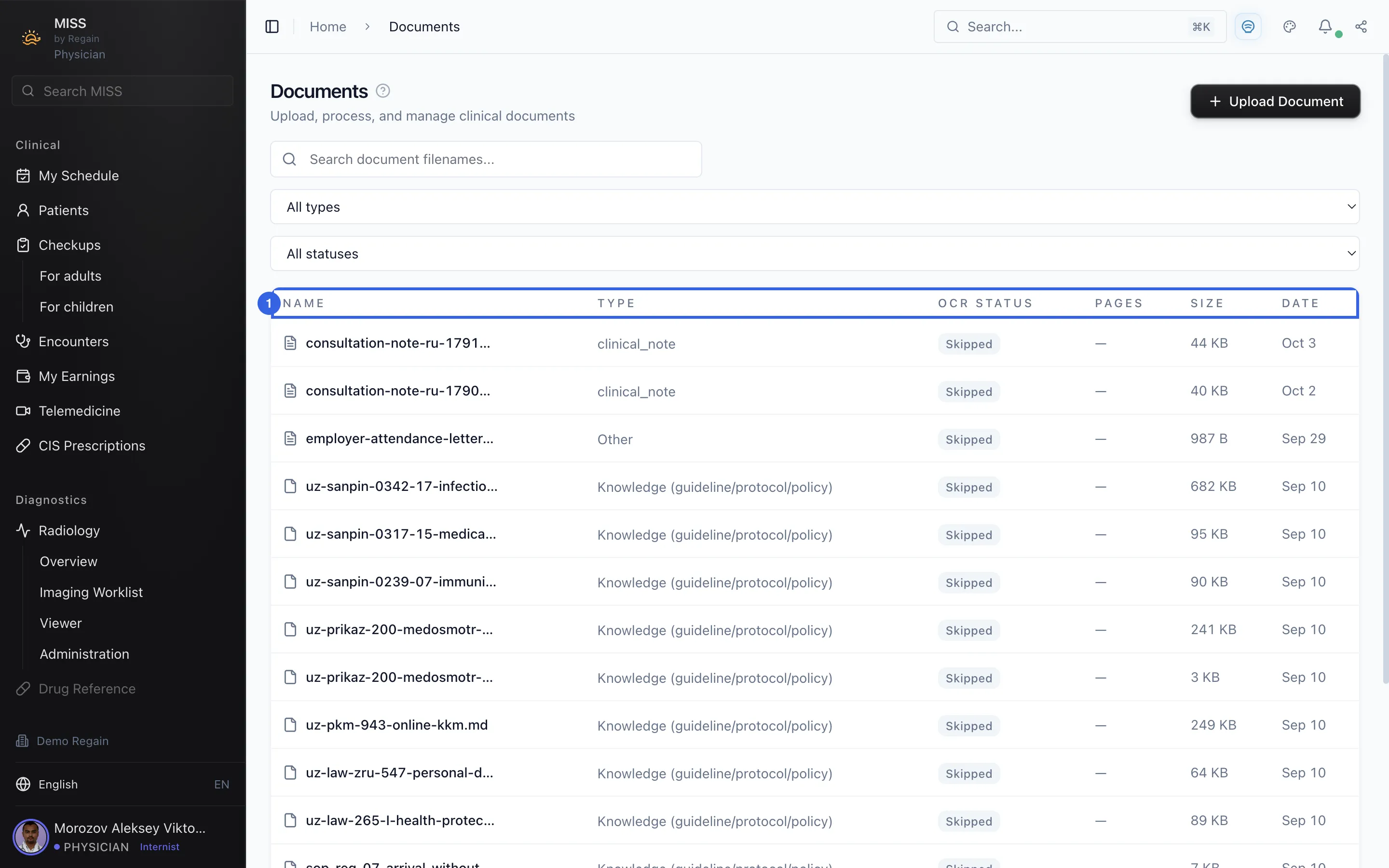
The documents page: the upload button, the search and filters, and the list.
The Documents page lists the clinic's clinical documents. Its subtitle reads "Upload, process, and manage clinical documents".
- At the top right is the Upload Document button.
1 - Below the title are the filename search box (1), a drop-down set to All types (2) and a drop-down set to All statuses (3).
2 - The list has the columns Name, Type, OCR Status, Pages, Size and Date.
3
Screenshots captured on 2026-10-03