Schedule
Find a day and a doctor, then book an appointment from the schedule.
Steps as text
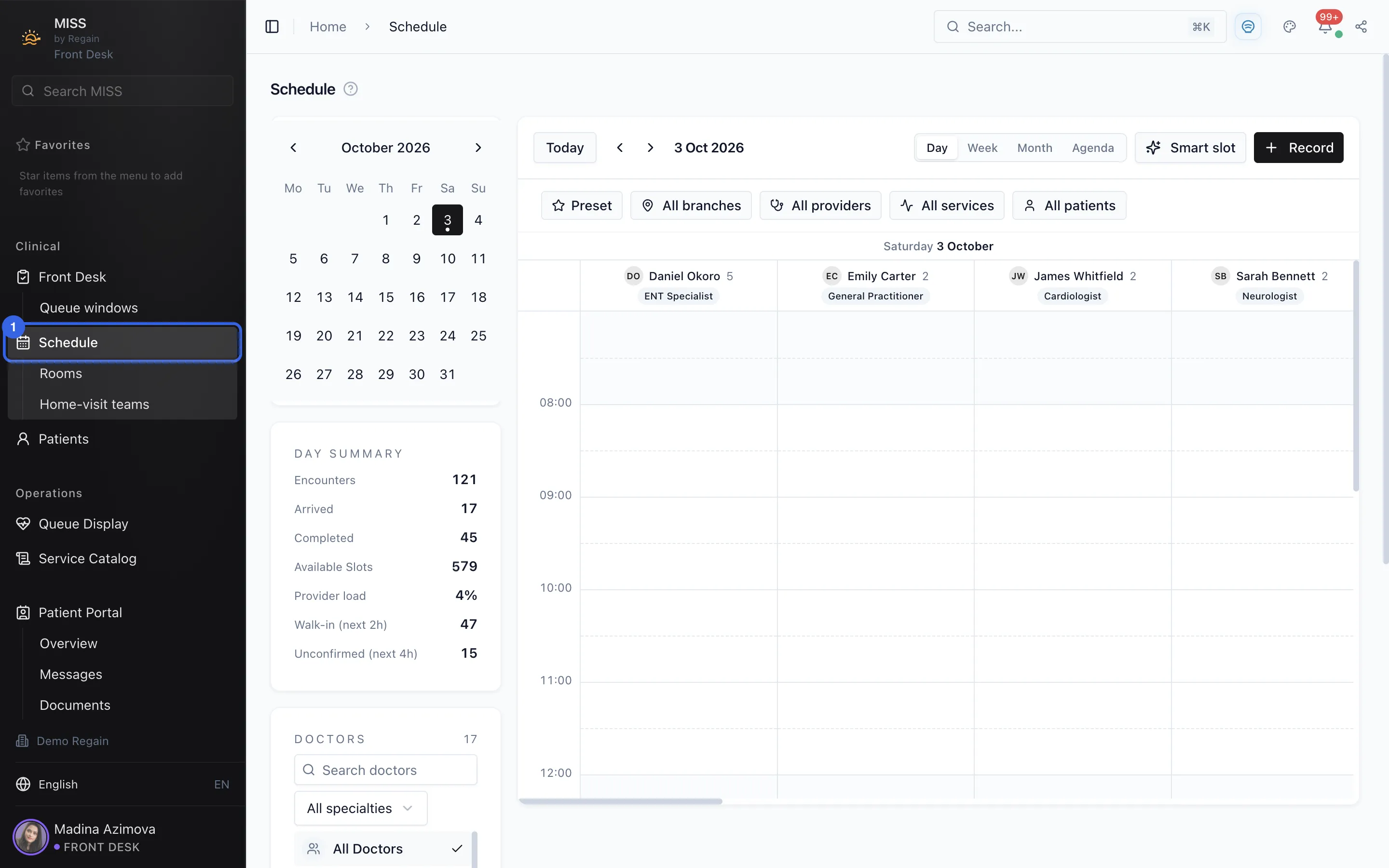
- Open Schedule in the side menu. The day view opens with one column per doctor.
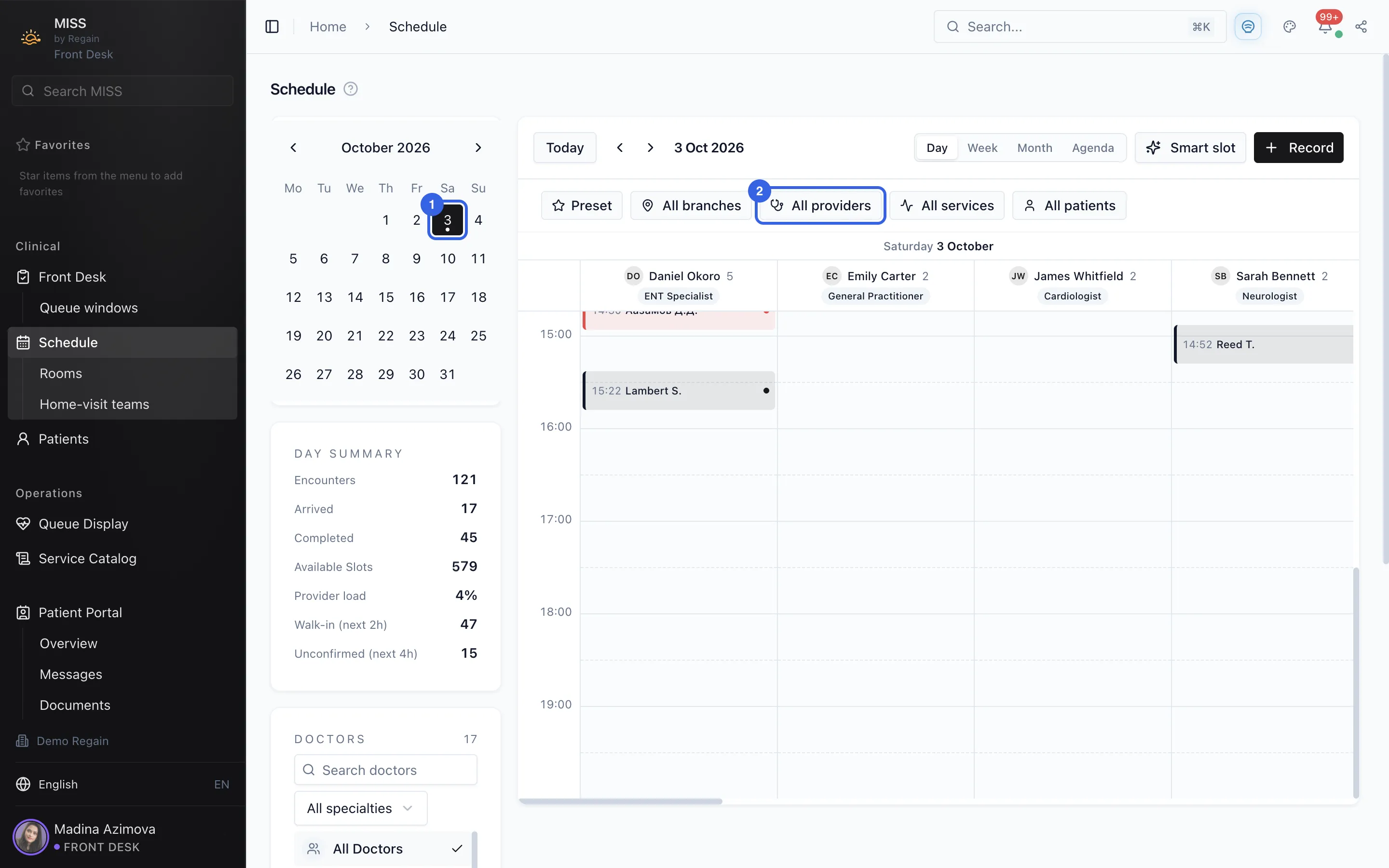
- Pick a day in the calendar on the left (1). The All providers filter (2) is in the row above the grid, and the Week, Month and Agenda tabs are next to Day.
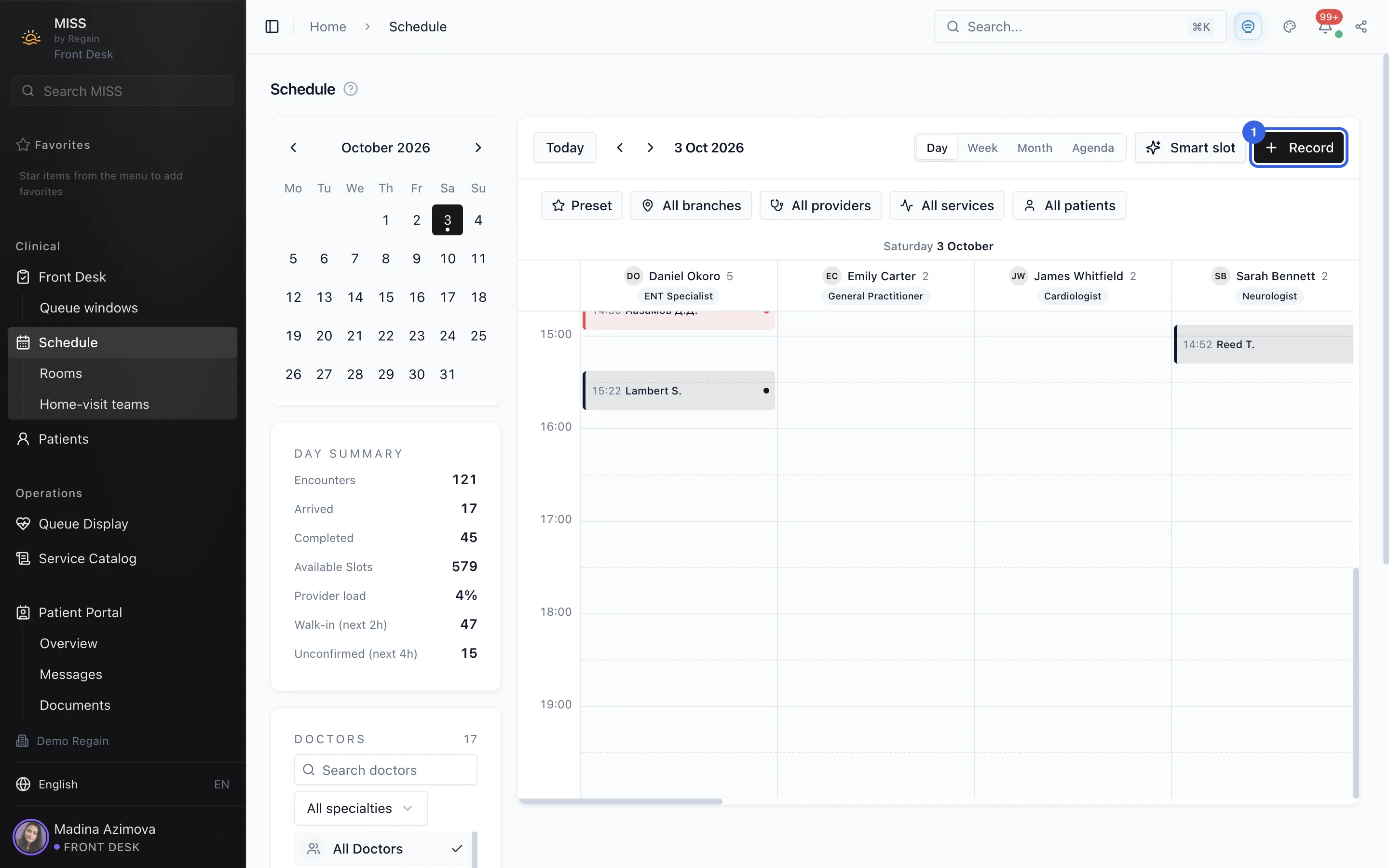
- Press Record at the top right of the schedule.
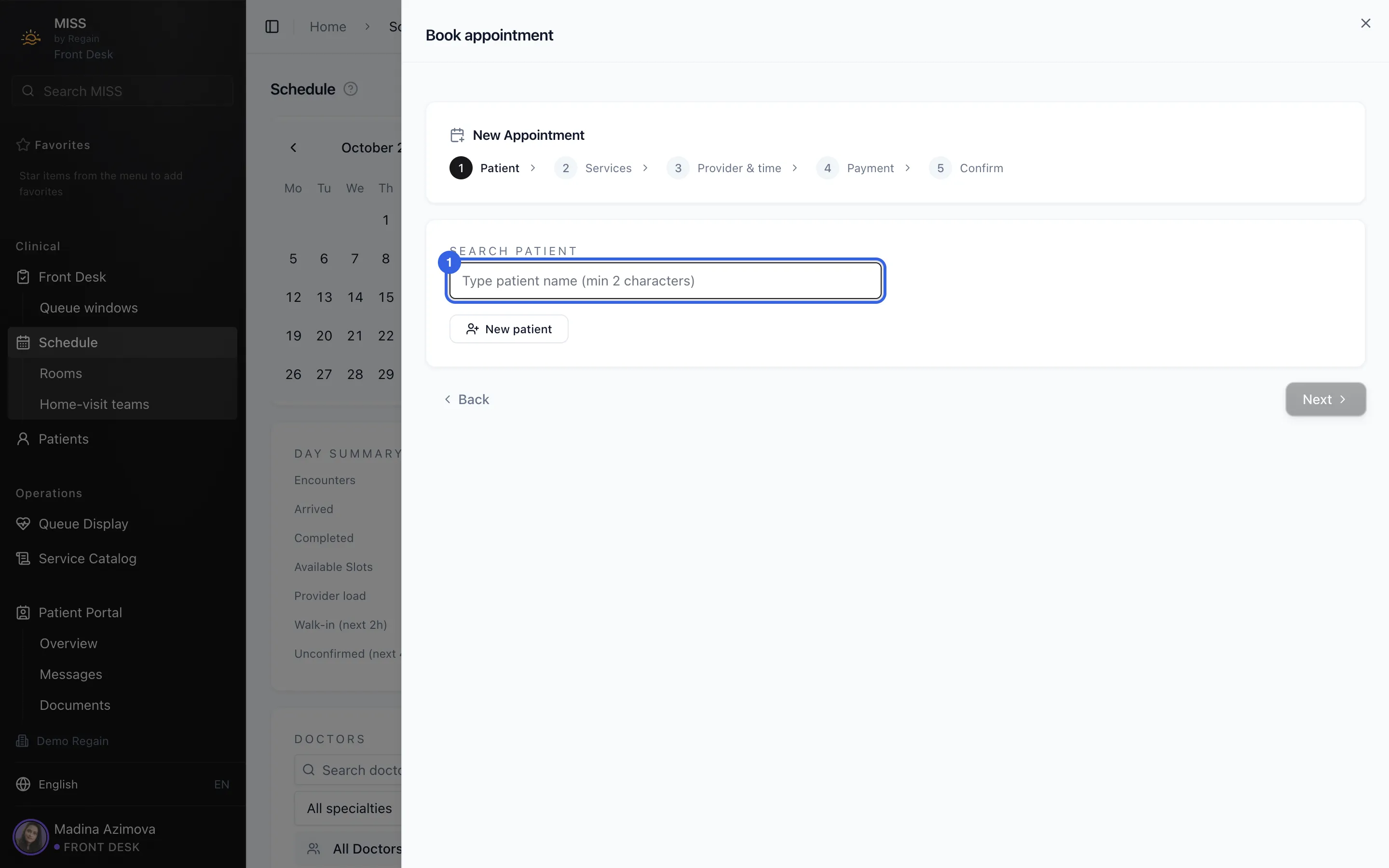
- The Book appointment window opens on its first step, Patient. Type at least two characters of the patient's name in the search box (1). The next steps are Services, Provider & time, Payment and Confirm.
The schedule shows each doctor's day as a column.
- Open Schedule in the side menu. The day view opens with one column per doctor.
1 - Pick a day in the calendar on the left (1). The All providers filter (2) is in the row above the grid, and the Week, Month and Agenda tabs are next to Day.
2 - Press Record at the top right of the schedule.
3 - The Book appointment window opens on its first step, Patient. Type at least two characters of the patient's name in the search box (1). The next steps are Services, Provider & time, Payment and Confirm.
4
Screenshots captured on 2026-10-03