Rooms
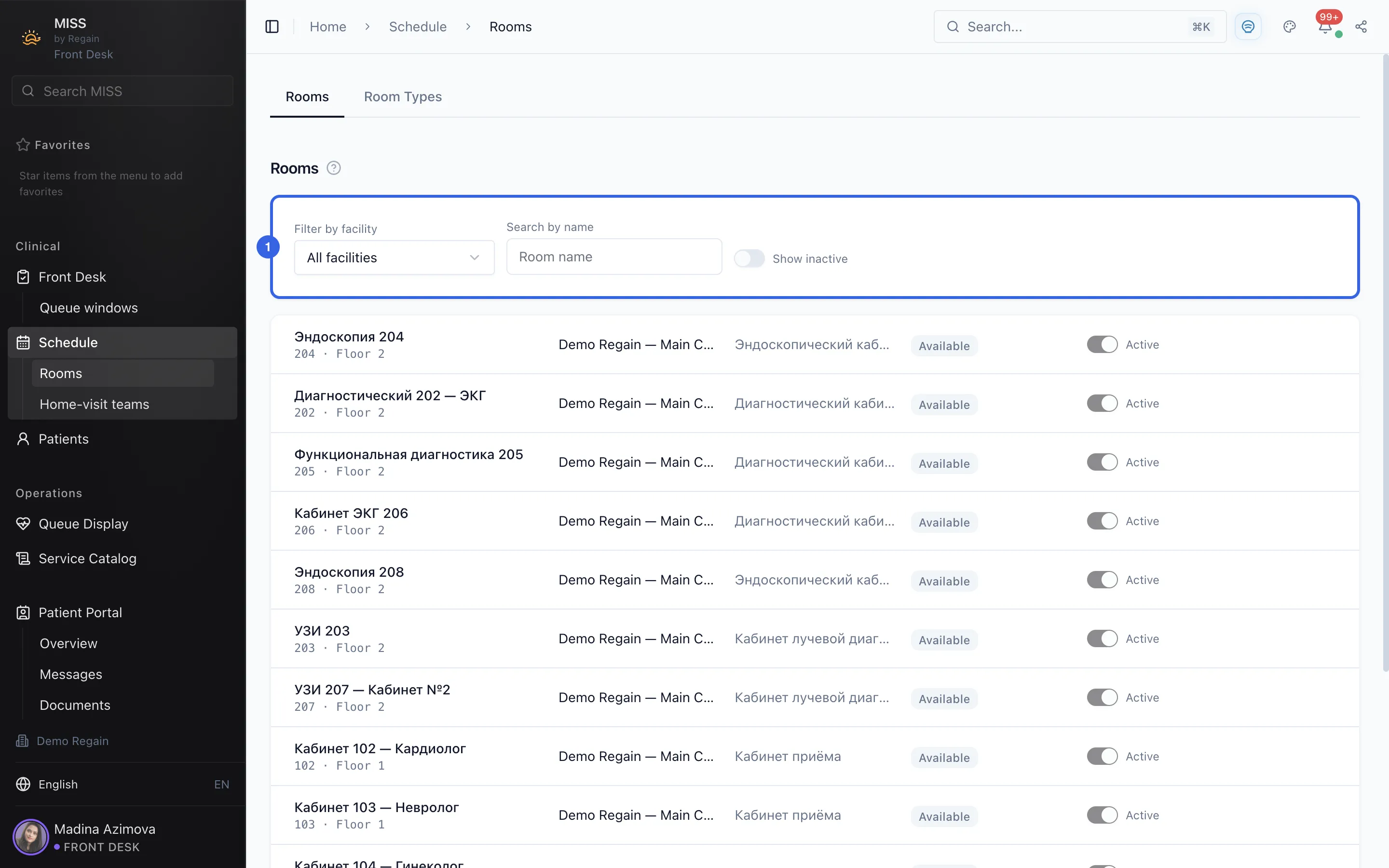
A list of the clinic's rooms with a facility filter, a name search and a switch for inactive rooms.
This page lists the clinic's rooms. There is also a Room Types tab next to Rooms.
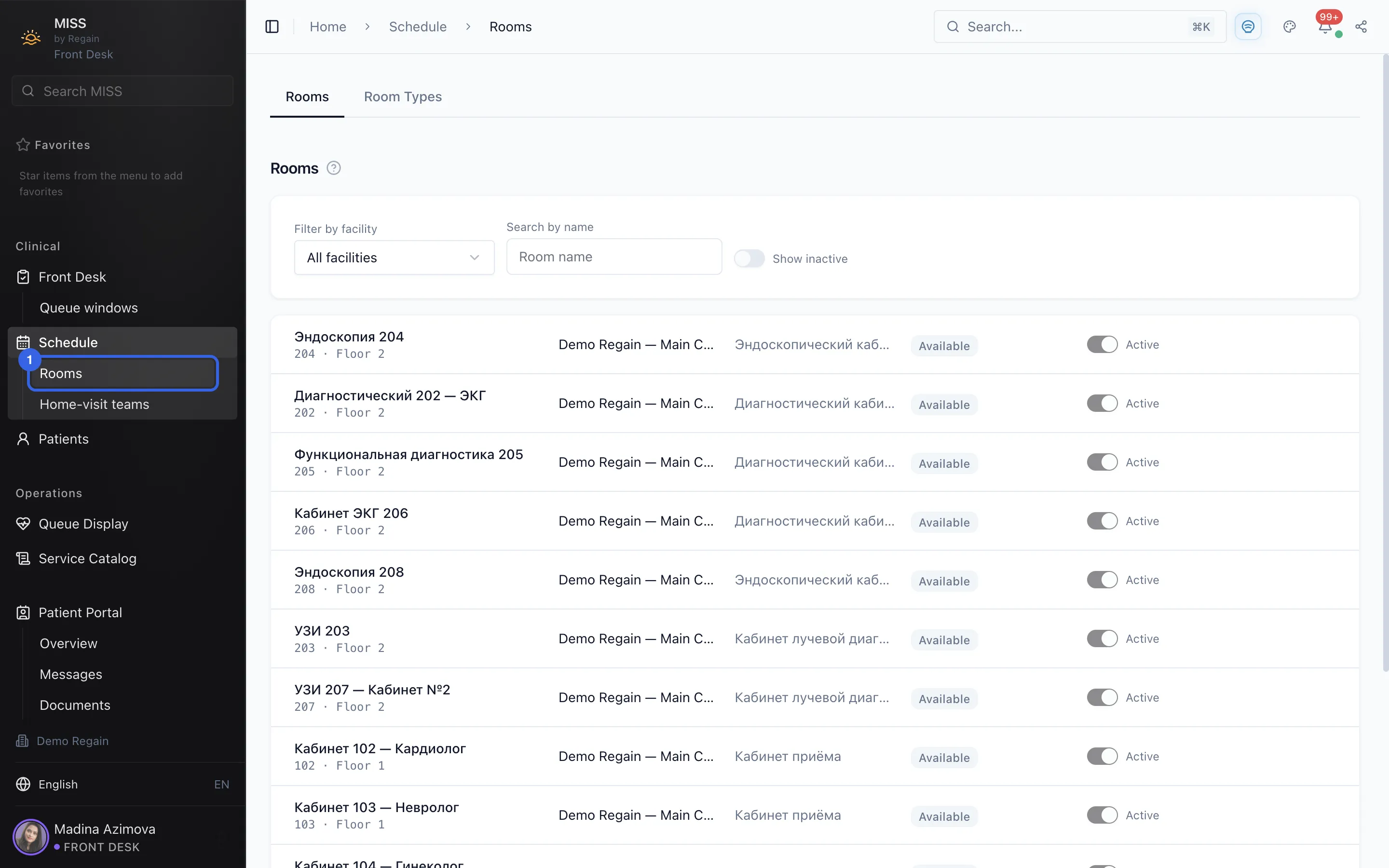
- Under Schedule in the side menu, open Rooms.
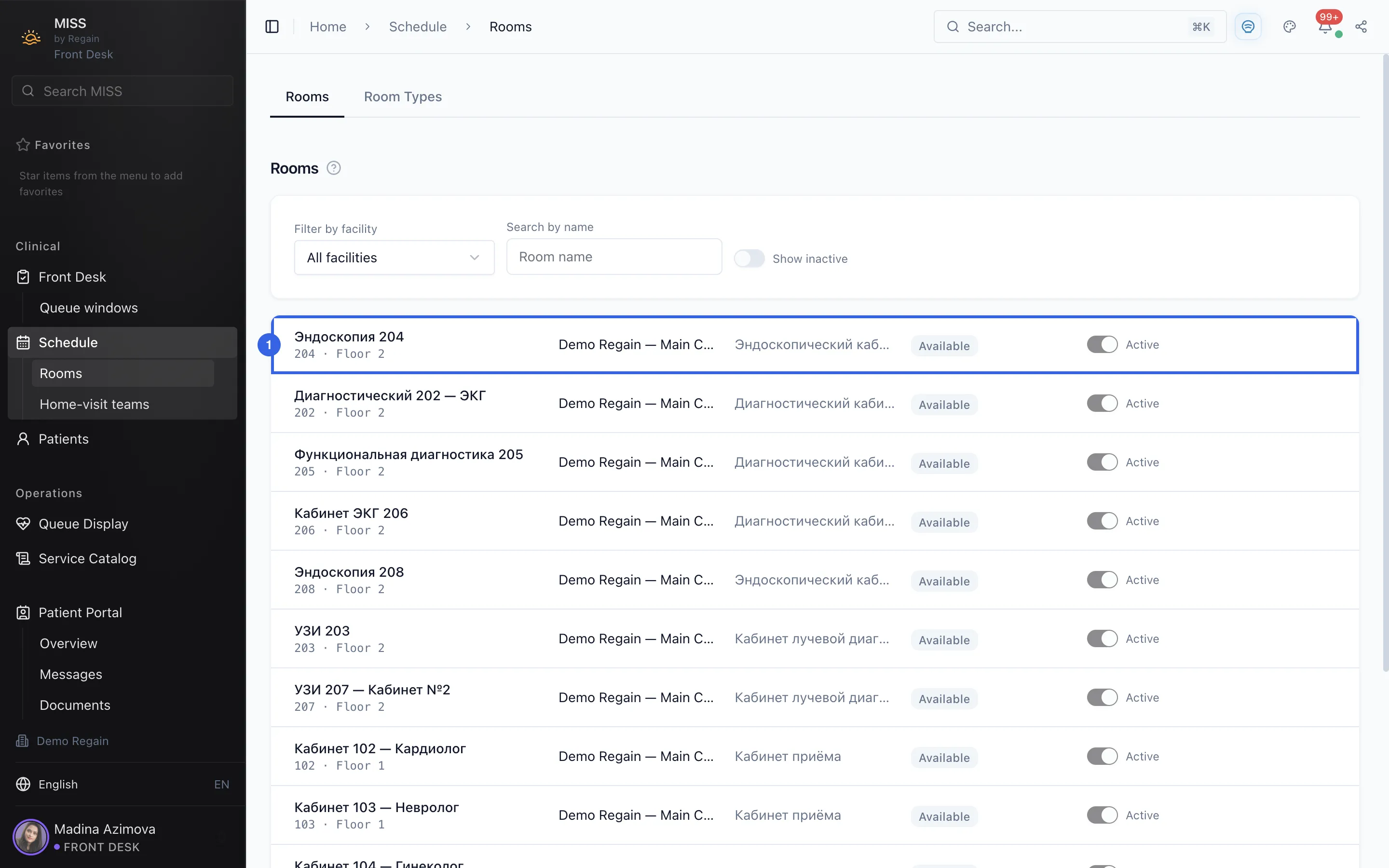
1 - Read the list. Each row is one room: its name, number and floor, the facility, the room type, whether it is available, and an Active switch.
2 - Above the list are Filter by facility, Search by name and the Show inactive switch.
3
Screenshots captured on 2026-10-03